Cancel Subscription
To cancel your subscription, follow the steps below:
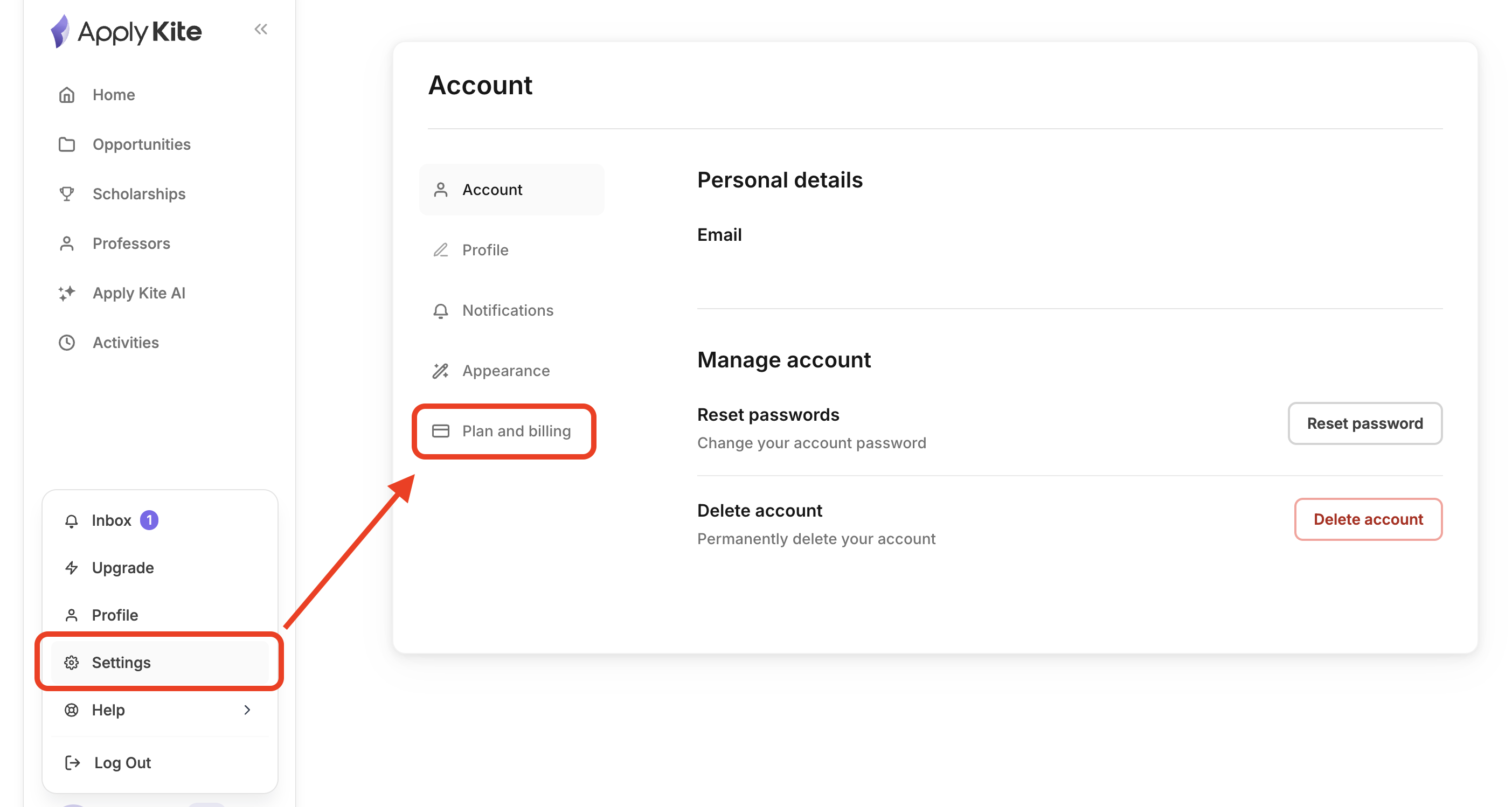
Step 1: Open your profile
Hover over your profile icon in the dashboard and click on Settings.
Step 2: Select your active plan
Choose your currently active plan.
(You may also see pending or previously canceled plans.)
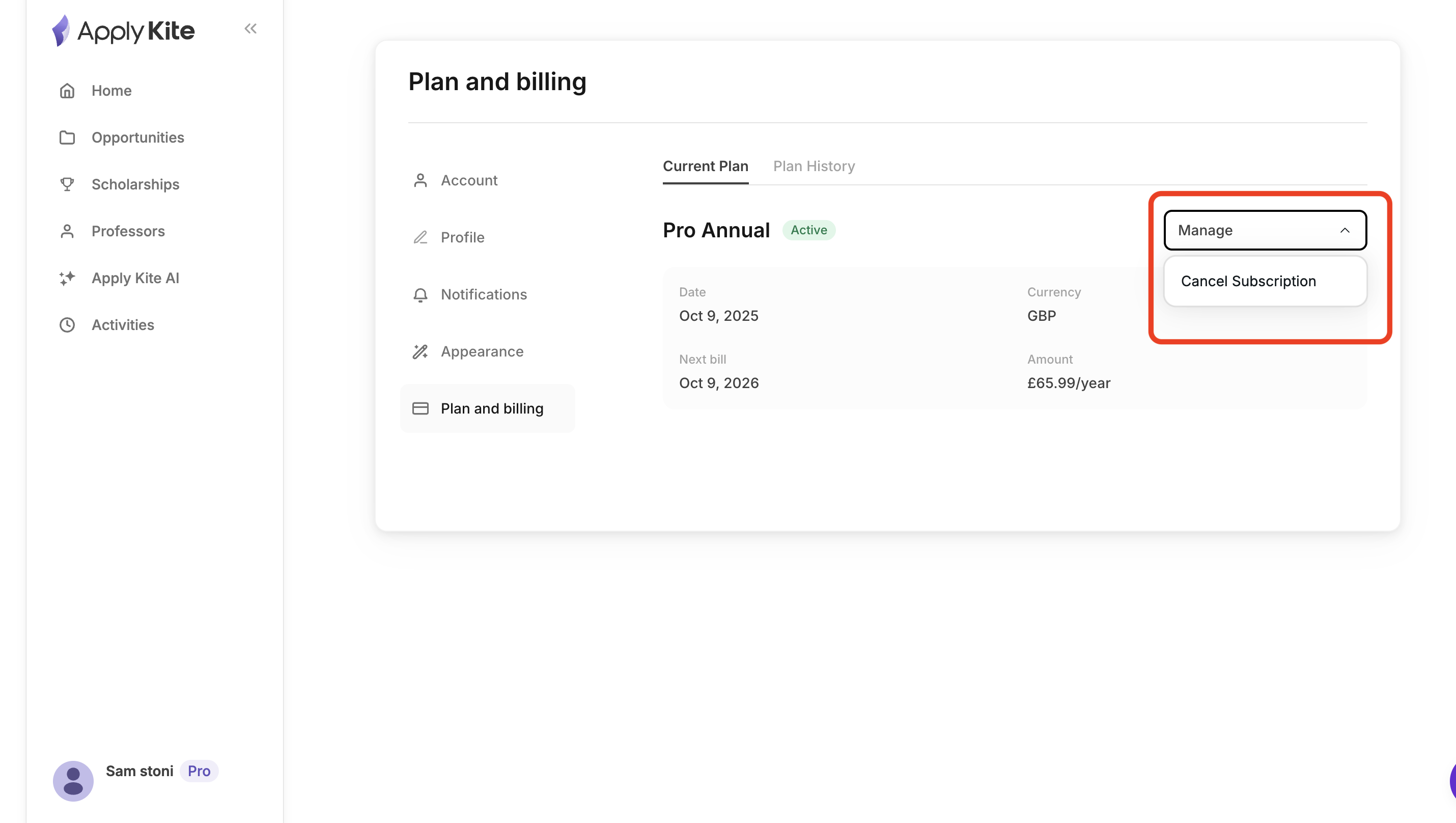
Step 3: Cancel the subscription
Click on Details, then select Cancel.
Once completed, your subscription will be canceled successfully.
What happens after cancellation?
- Your subscription will remain active until the end of the current billing period
- You will not be charged for the next month